As Seen On:

Motion - Temp - Water - Dry Contact

SensorNode - A DIY Sensor Kit for Home Assistant

The Easy Way to Attach Sensors to Home Assistant

Check out my YouTube Channel for SensorNode Videos Sign Up for our Newsletter View SensorNode Documentation
  • SensorNode fully-assembled version

    Slide title

    Write your caption here
    Button
  • SensorNode EL Dyno MITE version

    Slide title

    Write your caption here
    Button
  • SensorNode

    Slide title

    Write your caption here
    Button
  • two SensorNode boards in operation

    Slide title

    Write your caption here
    Button
  • SensorNode bare board

    Slide title

    Write your caption here
    Button
  • SensorNode inside custom enclosure

    Slide title

    Write your caption here
    Button
  • SensorNode custom enclosure open exposing SensorNode inside

    Slide title

    Write your caption here
    Button
  • SensorNode Jumper J3 Close-Up

    Slide title

    Write your caption here
    Button
  • A set of 5 SensorNode bare boards

    Slide title

    Write your caption here
    Button
  • closeup of SensorNode USB connection with USB cable connected

    Slide title

    Write your caption here
    Button
  • SensorNode

    Slide title

    Write your caption here
    Button
  • SensorNode

    Slide title

    Write your caption here
    Button
  • SensorNode fully-assembled version

    Slide title

    Write your caption here
    Button
  • SensorNode fully-assembled version

    Slide title

    Write your caption here
    Button
  • closeup of SensorNode with USB connection exposed

    Slide title

    Write your caption here
    Button

What is SensorNode?

SensorNode is the easy way to add common sensors to Home Assistant, one of the most popular open-sourced home automation systems in the world.

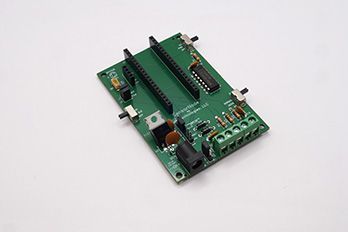
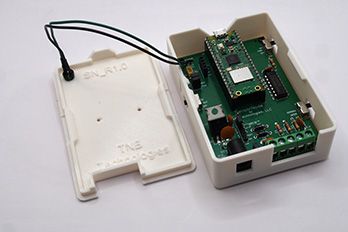
SensorNode a simple credit-card sized PC board with a Raspberry Pi Pico W installed on it. The Pico is loaded with software that enables many common home-automation sensors to be interfaced to Home Assistant. All you do is attach sensors to it, configure it through the built-in WiFi Access Point, and run. Although all the code is open-sourced, you don't need to write code to use SensorNode.


Key Features of Every SensorNode

  • Integrates up to 4 concurrent sensors

    You can hook up as many as 4 simultaneously updated sensors to Home Assistant. Supported sensors include dry contact, motion, temperature (external), moisture, and temp/humid(internal I2C).

  • Interfaces to Home Assistant Seamlessly

    It's super easy to connect SensorNode to Home Assistant. It uses the Home Assistant HTTP Sensor protocol to POST sensor readings to HA.

  • Easy Configuration

    Every SensorNode can create a WiFi Access Point when desired to add/modify it's settings. You can attach to it with any smartphone or computer to set up or modify SensorNode's settings.

  • Runs on AC Power

    No batteries! Each SensorNode is powered off a standard power supply. SensorNode will operate using any power supply that delivers between 7.5-24V. 

  • Change Sensors whenever you want

    No longer need a temp sensor, but really want a motion sensor? No problem! With SensorNode, you can reconfigure it at any time to accomodate any supported type of sensor. You are not locked in.

  • Many Kit Options

    SensorNode is available as a bare board, or in partially or fully-assembled kits. You can even get a 3D-Printed Case or download the print files and print your own.

    Button
  • NO CODING REQUIRED

    Athough all SensorNode code is open-sourced, you don't need to write code to use SensorNode. Just attach sensors, move some jumpers, configure it using the built-in Wifi Access Point, and RUN! That's it!

  • All Data is Local

    SensorNode communicates directly with your local install of Home Assistant. Further, all configuration is done using SensorNode's Wifi Access Point: no App, Cloud, or subscription needed. All your data remains local!

  • Uses Cheap Sensors you can buy anywhere

    Works with the most popular types of home-automation sensors. Temperature (DS18B20) and motion sensors can be purchased from many sources at low prices. Dry contact sensor can use any common button, switch, door/window,float, level, tilt, or vibration sensor.  AHT20 I2C temp/humid sensors are commonly available and cheap.

  • WatchDog Timer

    Makes sure it keeps running 24/7/365 without intervention. Can be disabled from on-board jumper.

  • Status LEDs

    SensorNode has one internal (on the Pico) LED and one external (with leads so you can mount to a case) LED to communicate status with a glance. There is a switch on the board to enable/disable the LEDs if you don't want them on. You can also set which LEDs are on in the settings.

  • High-Speed Input Latching

    Makes sure you don't miss any transient events by latching the signals before they get presented to the Pico. That way, no matter how busy the Pico is, it will never miss a button press or motion event.

  • Programmed in Python - All Open Source

    Uses CircuitPython and all code will be open-sourced so you will always have access to the code.

  • Works with the most common sensor types

    With SensorNode, you can quickly onboard the following sensor types: door/window,pushbutton, level sensor, tilt sensor, vibration sensor, motion sensor, temperature sensor, water sensor

Still have Questions? Check out the FAQs here


check in circle

Open Sourced Code

check in circle

No App or Cloud

check in circle

Change Sensors whenever you want

SensorNode I

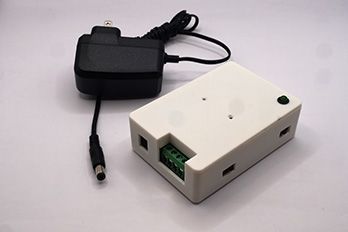
Every SensorNode includes one Fully-Assembled SensorNode circuit board, including a preprogrammed Pico and a Custom 3D-Printed Case. Just attach sensors, power it up, and go!


Power supplies are optional and standard barrel type, US plug. Anything from 9V-20V will do. Full specs are available in the documentation to purchase different power supplies if needed for other countries/plug types.


Sensors sold separately.

Buy Now on Tindie
SensorNode El Dyno Mite (prototype)

Sensornode

Options

These options can be purchased separately. Some options may not be available in your area/region.